


- In your customers' Apple Wallet
- Stamped at the counter, updates on its own
- No app to install
Before
Paper cards get lost.




…and it ended up in the wash.
After
This one stays next to the bank card.

Who it's for
For shops people come back to.
If your customers drop by at least once a month, a card gives them a reason to come more often. The system fits your basket.
Stampsfrequent visits, small basket · 1 visit = 1 stamp
Reward7/10
A free coffee
Reward4/10
A free pastry
Reward5/8
A free drink
Reward6/8
A free pizza
Reward4/6
A free beard trim
Reward3/10
A free cone
Pointsbaskets that vary · €1 = 1 point
42pts
Next · 60 pts
A bouquet
68pts
Next · 100 pts
A jar of honey
95pts
Next · 150 pts
A paperback
120pts
Next · 200 pts
A bottle
80pts
Next · 120 pts
A free manicure
50pts
Next · 80 pts
A duvet cleaned
Less suited to rare purchases (appliances, car repairs): a customer who comes back once a year never gets to fill a card.
How it works · 3 stamps
Ready in an afternoon.
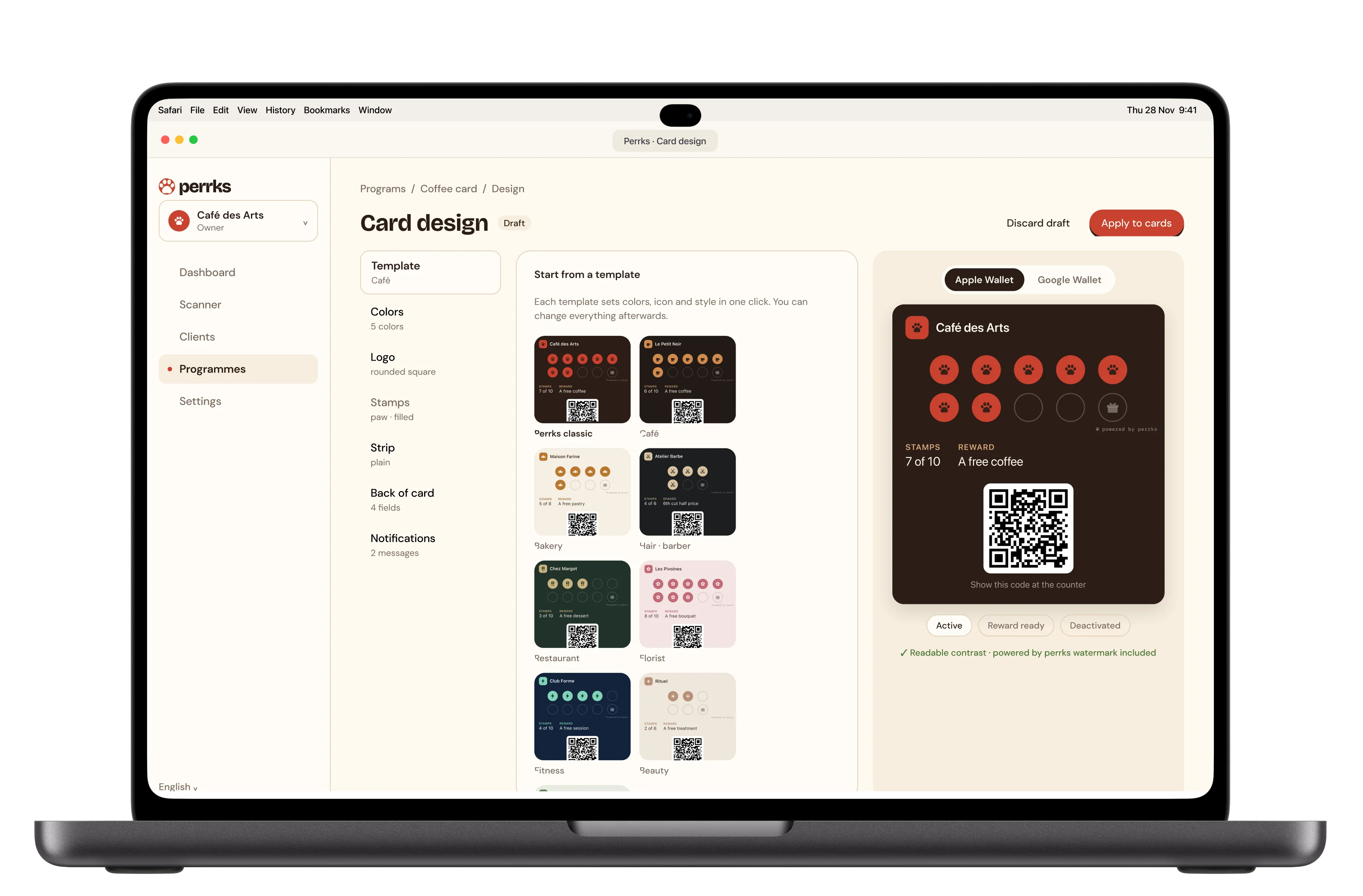
Design your card
Number of stamps, reward, colors and logo, with a live preview.Name, reward, number of stamps, colors and logo. The preview follows every change, and you publish when you like what you see.
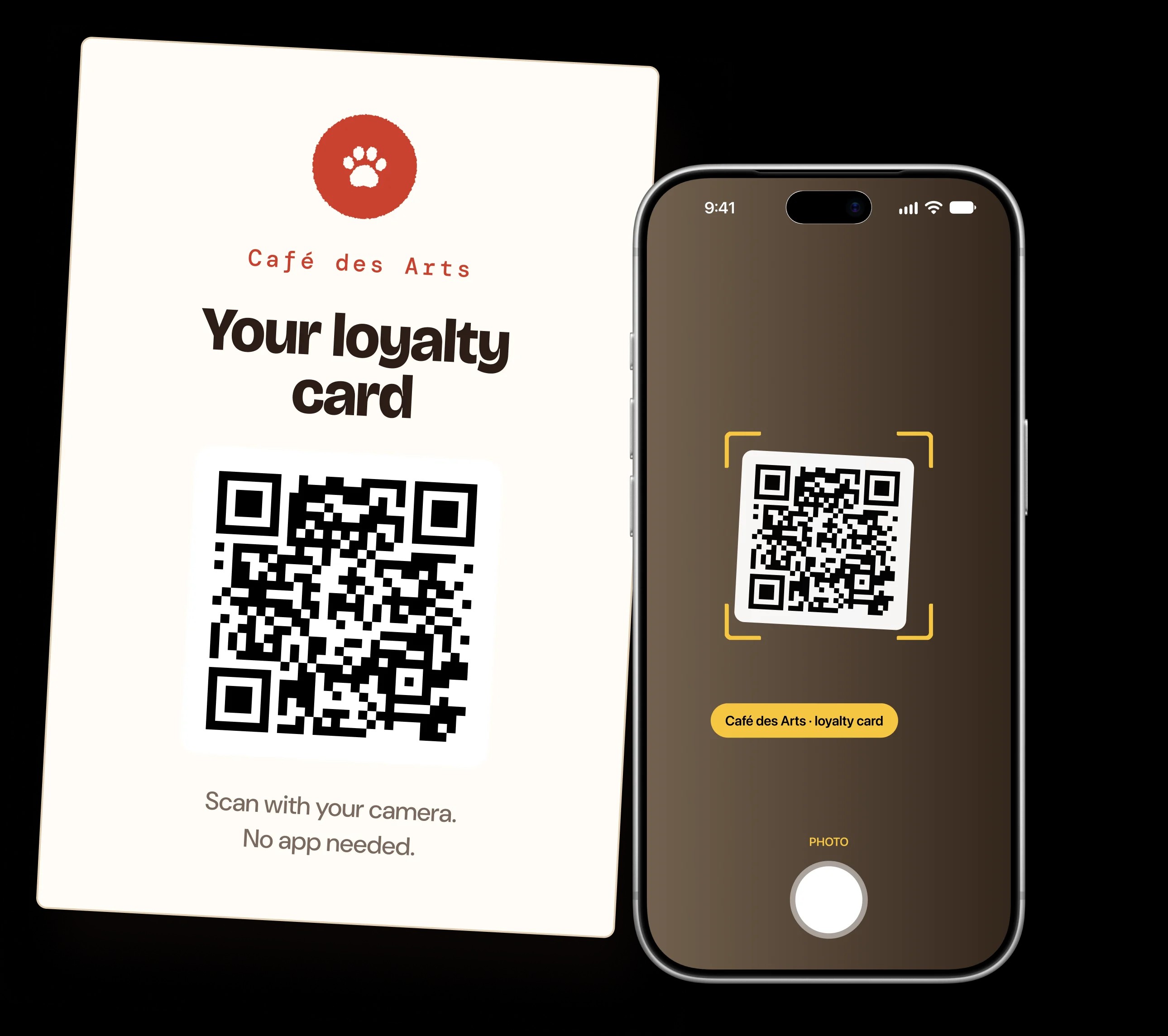
Put up the QR code
A poster for your counter. Sign-up by email or mobile, no app.Put the poster on your counter. Customers scan it with their camera, then sign up with their email or mobile number. No app to install.
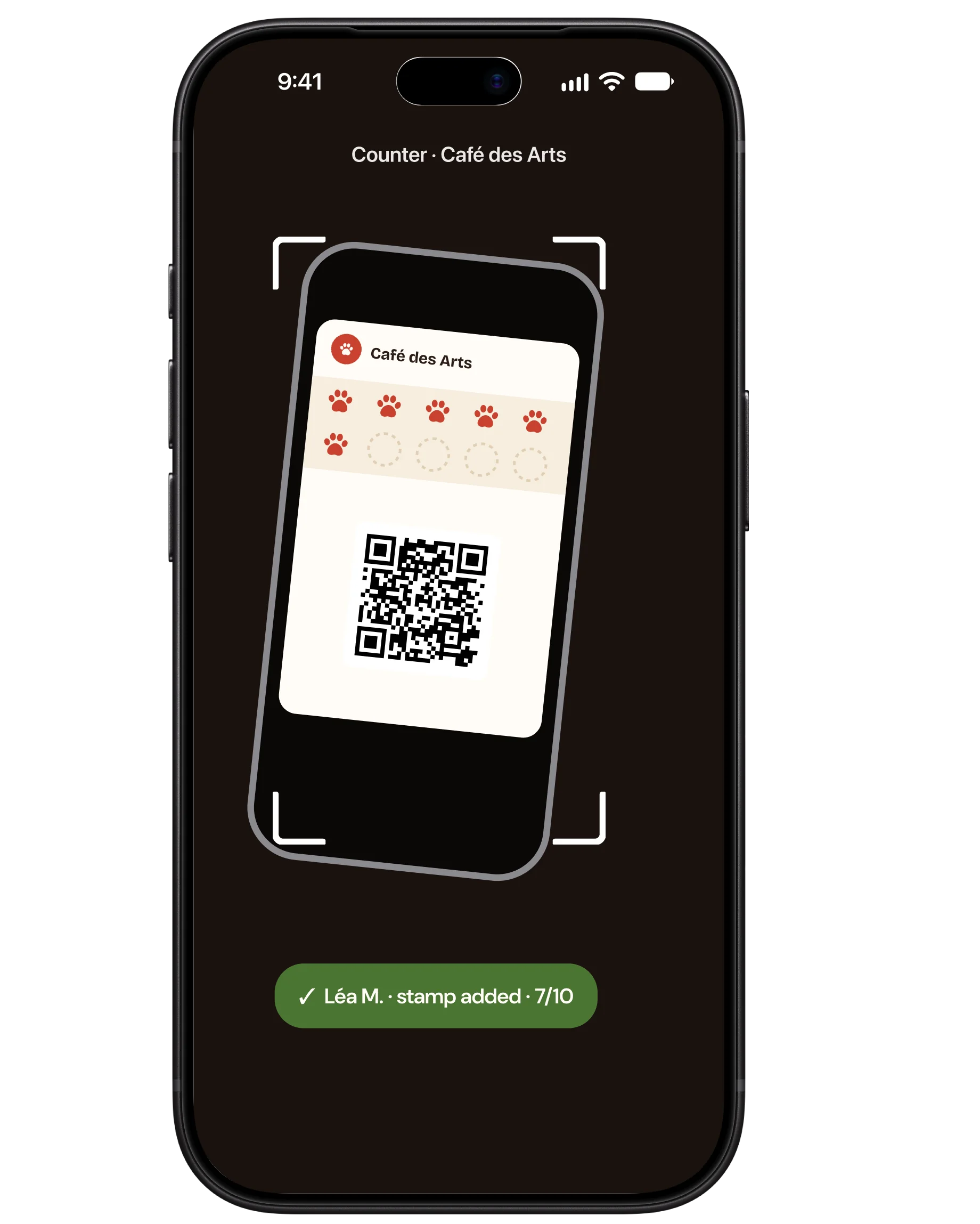
Stamp it
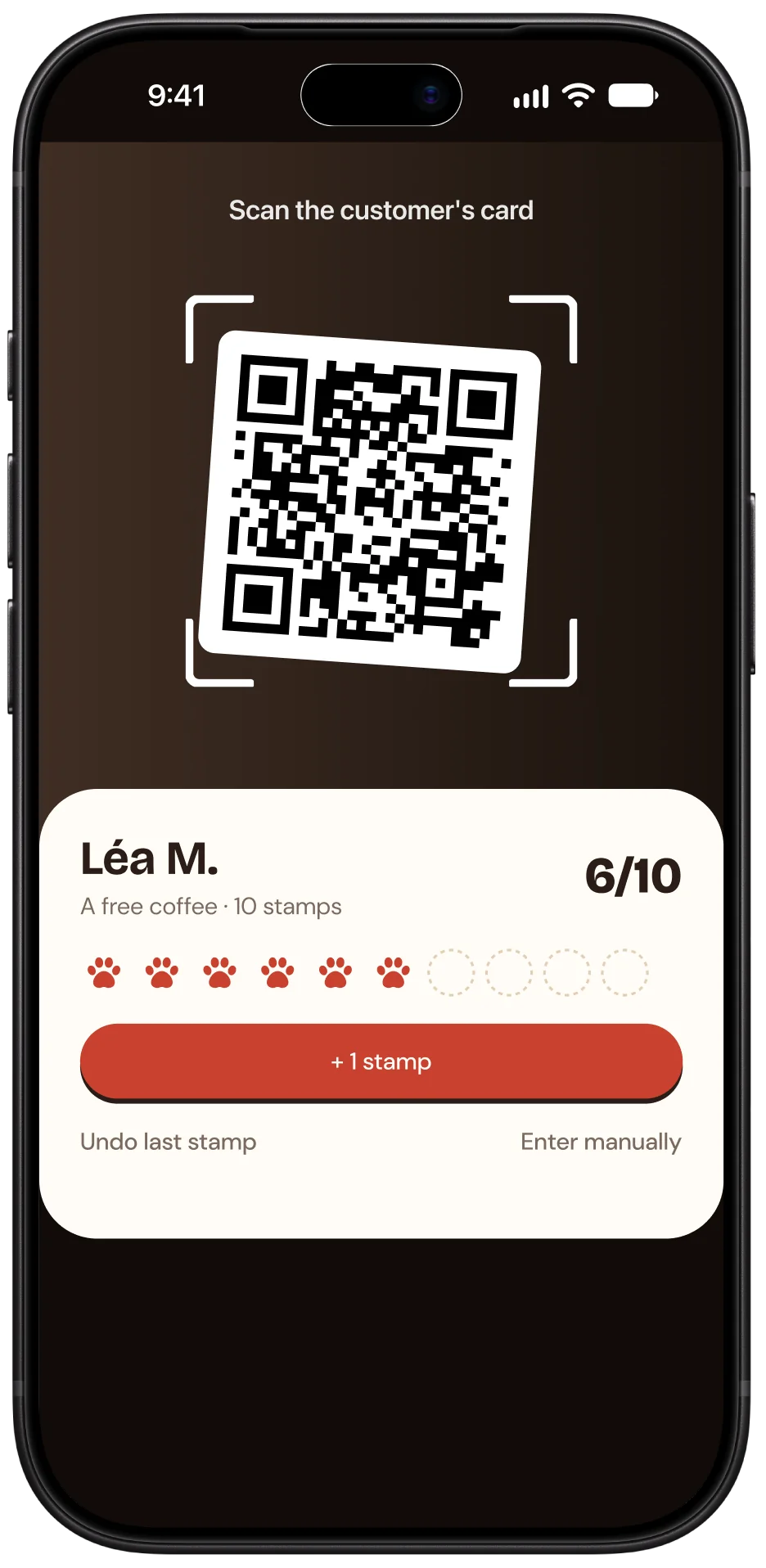
One scan, and their card updates within seconds.Scan the card on your customer's phone. The stamp reaches their Apple Wallet within seconds, with a notification.



At the counter
Built for the days when there's a queue.
One scan, one stamp, next customer. Your staff stamp from their phone, and Perrks catches mistakes before they cost you a coffee.
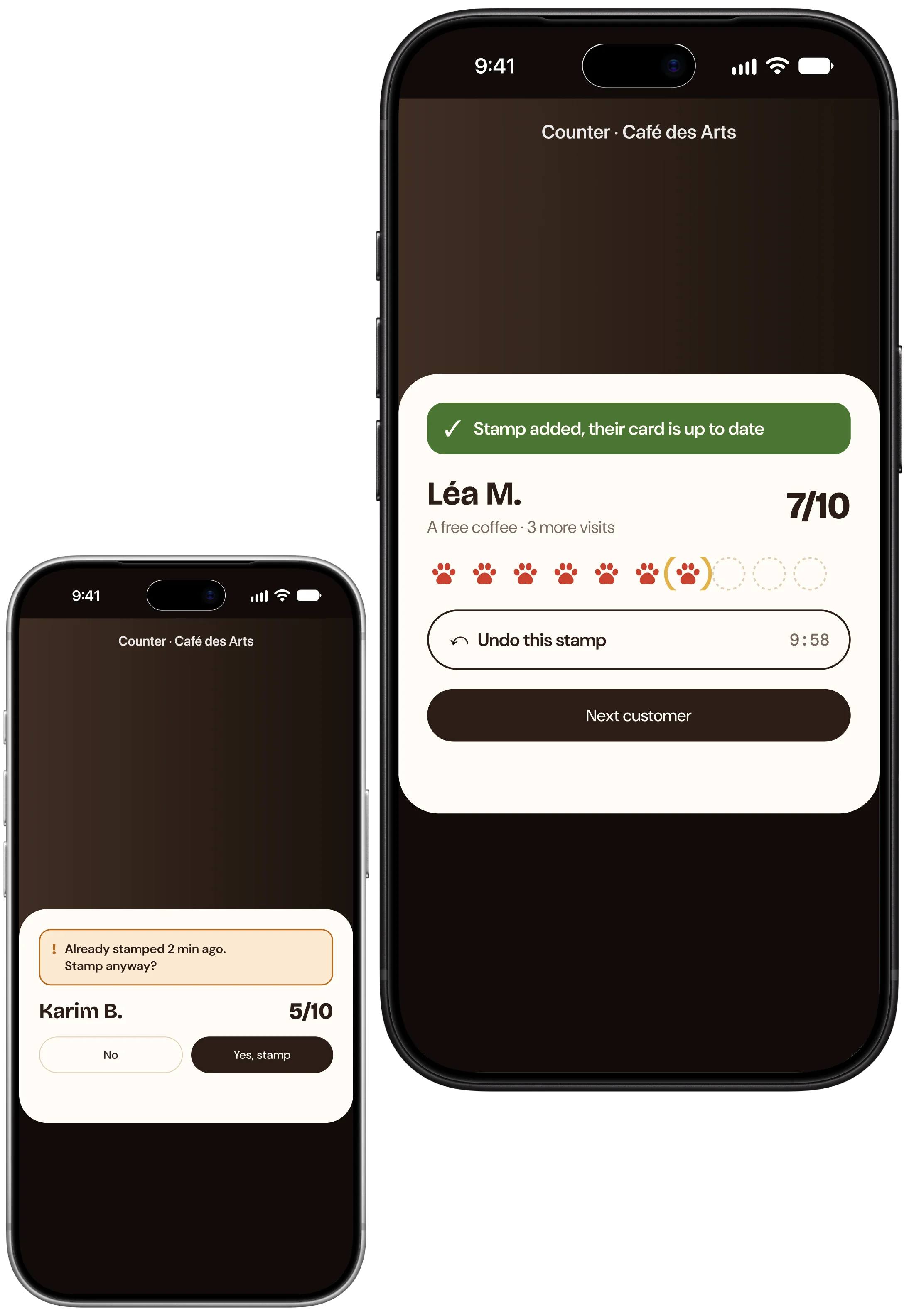

- their card updates in their pocket
- a mistake? 10 min to undo
- double scan? we warn you
Perrks · At the counter
What's included
- Card scan
- 1 gesture
- Stamp on their phone
- a few sec.
- Double scan detected
- ✓
- Staff invited by link
- ✓
- Access to settings
- no
- Customer contact details
- hidden
- Undo a stamp
- 10 min
- Corrections
- with a reason
- History
- complete
Thanks, see you tomorrow!
For your customers
Three moments, zero apps.

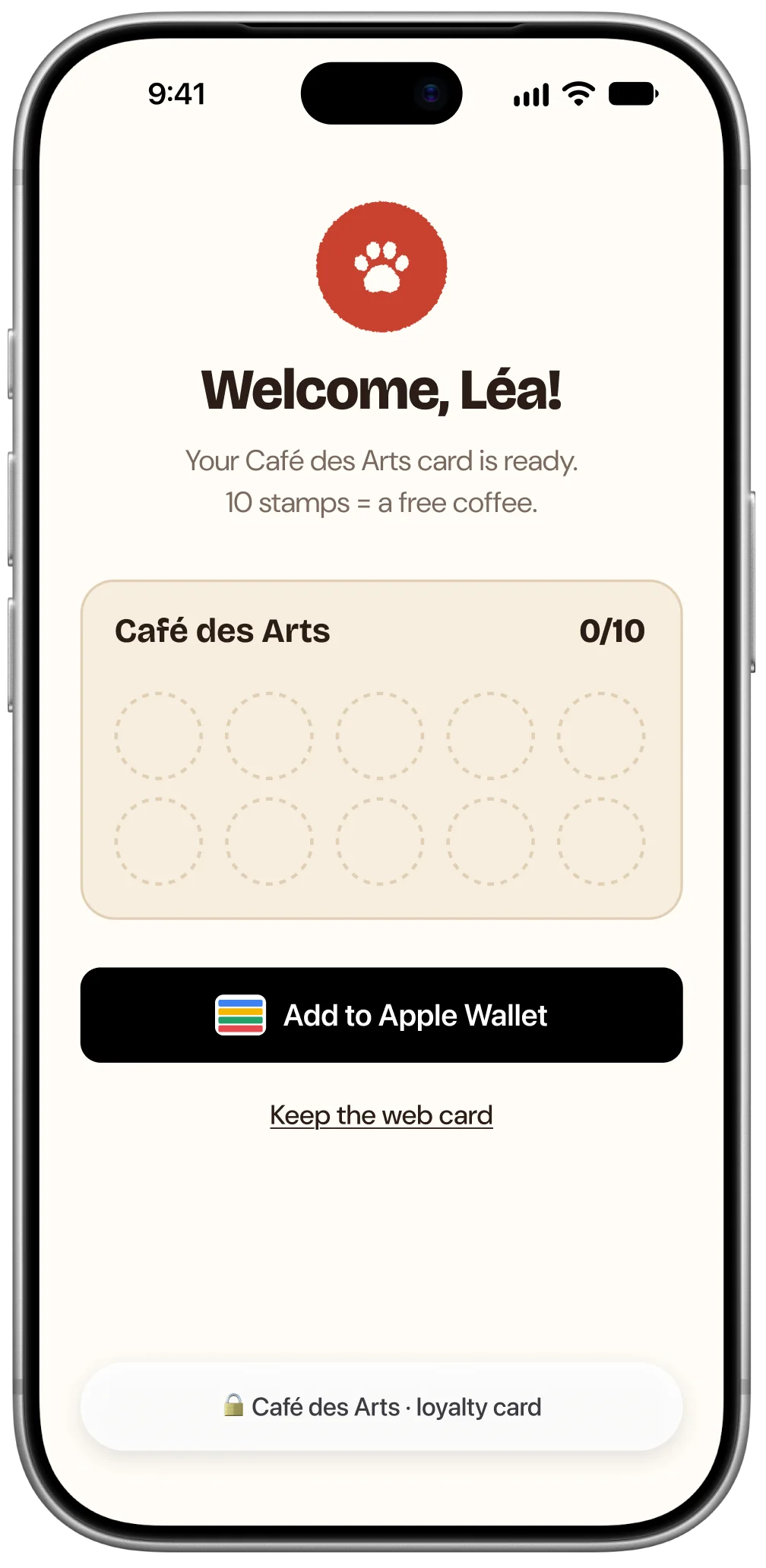
Monday
They scan the poster. Their card goes into Apple Wallet.
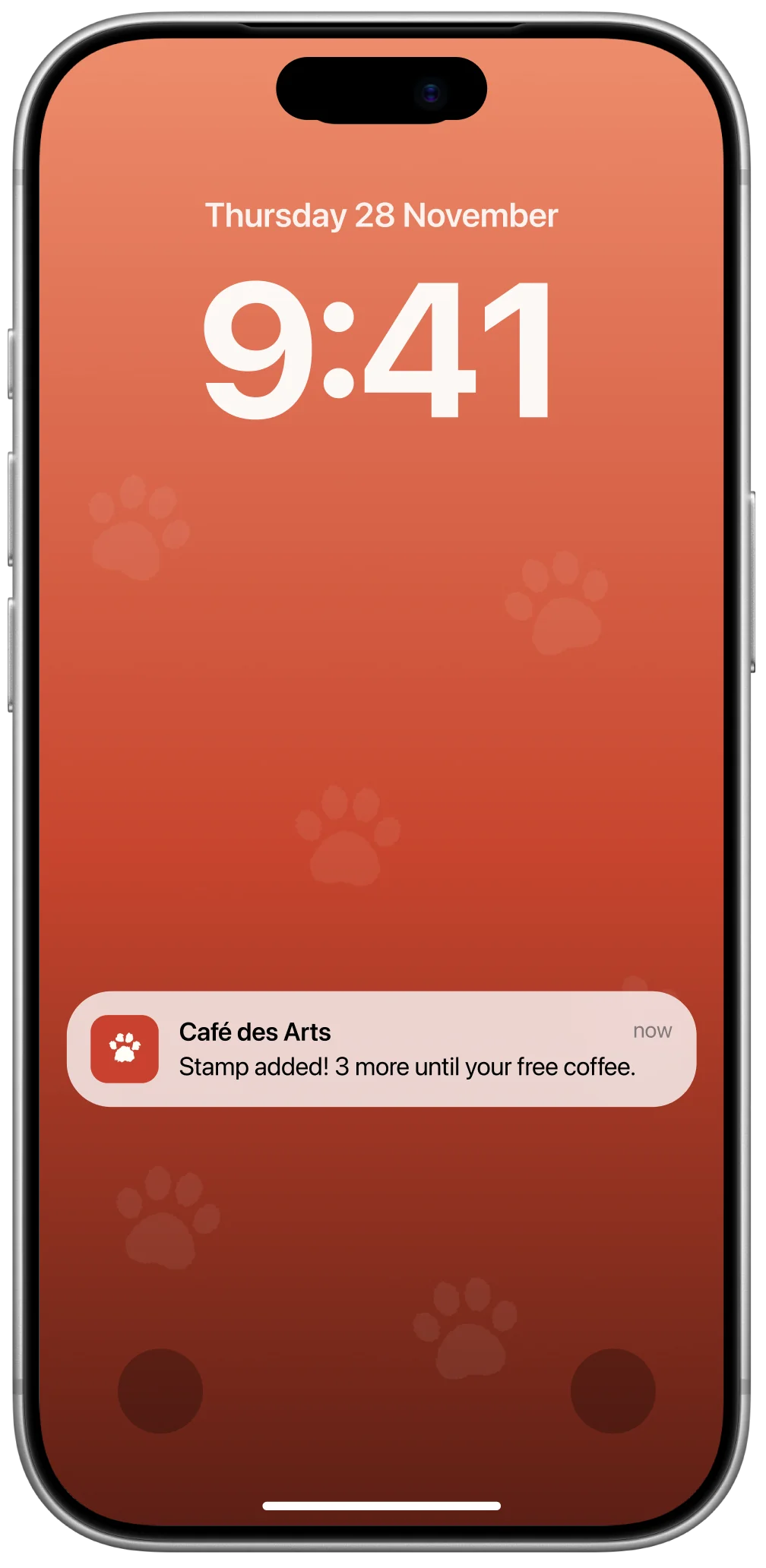
Thursday
A stamp at the counter. A lock-screen notification: 3 to go.
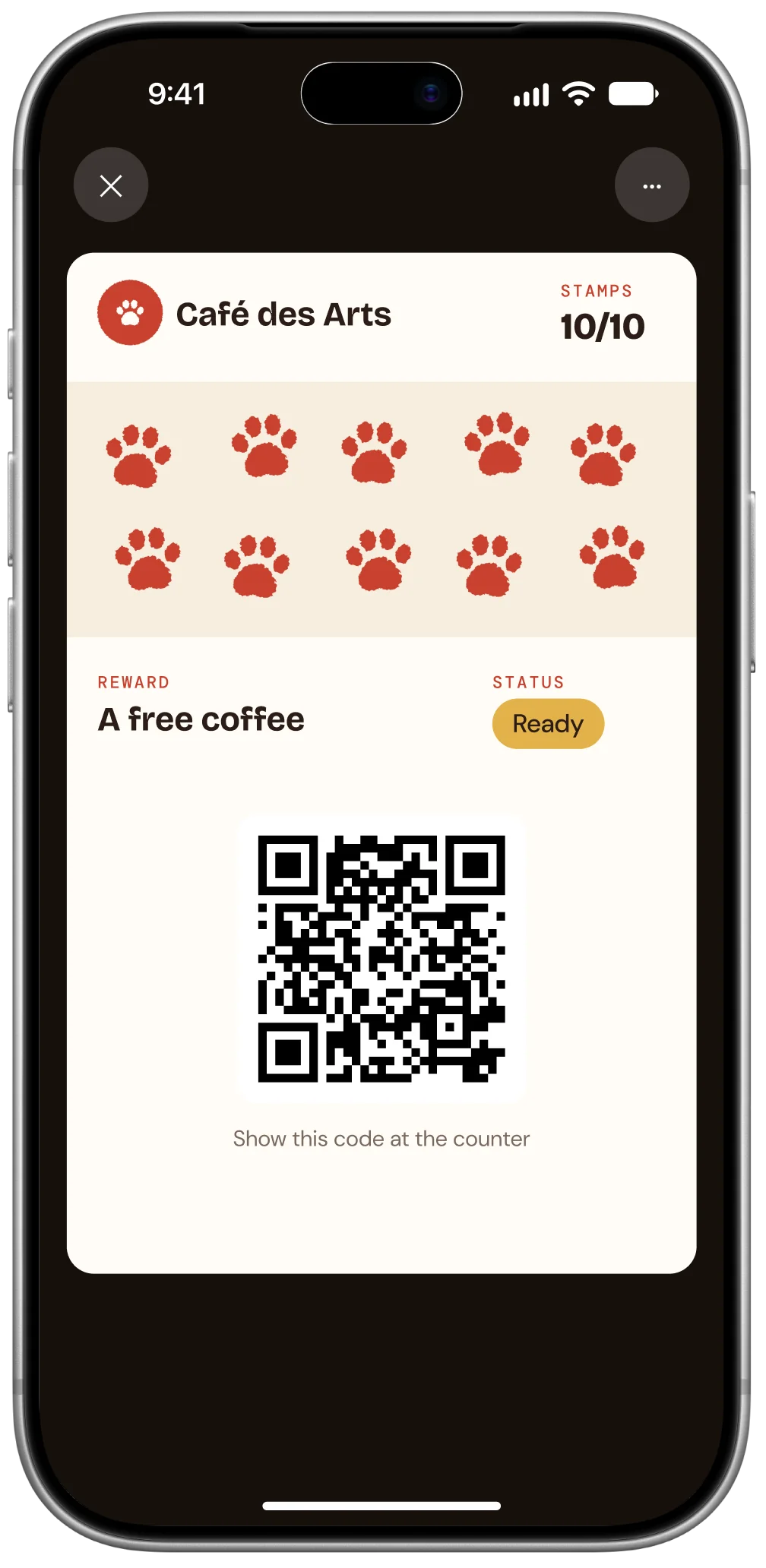
Saturday
Card complete. The coffee is on the house, and the card starts over.
For you
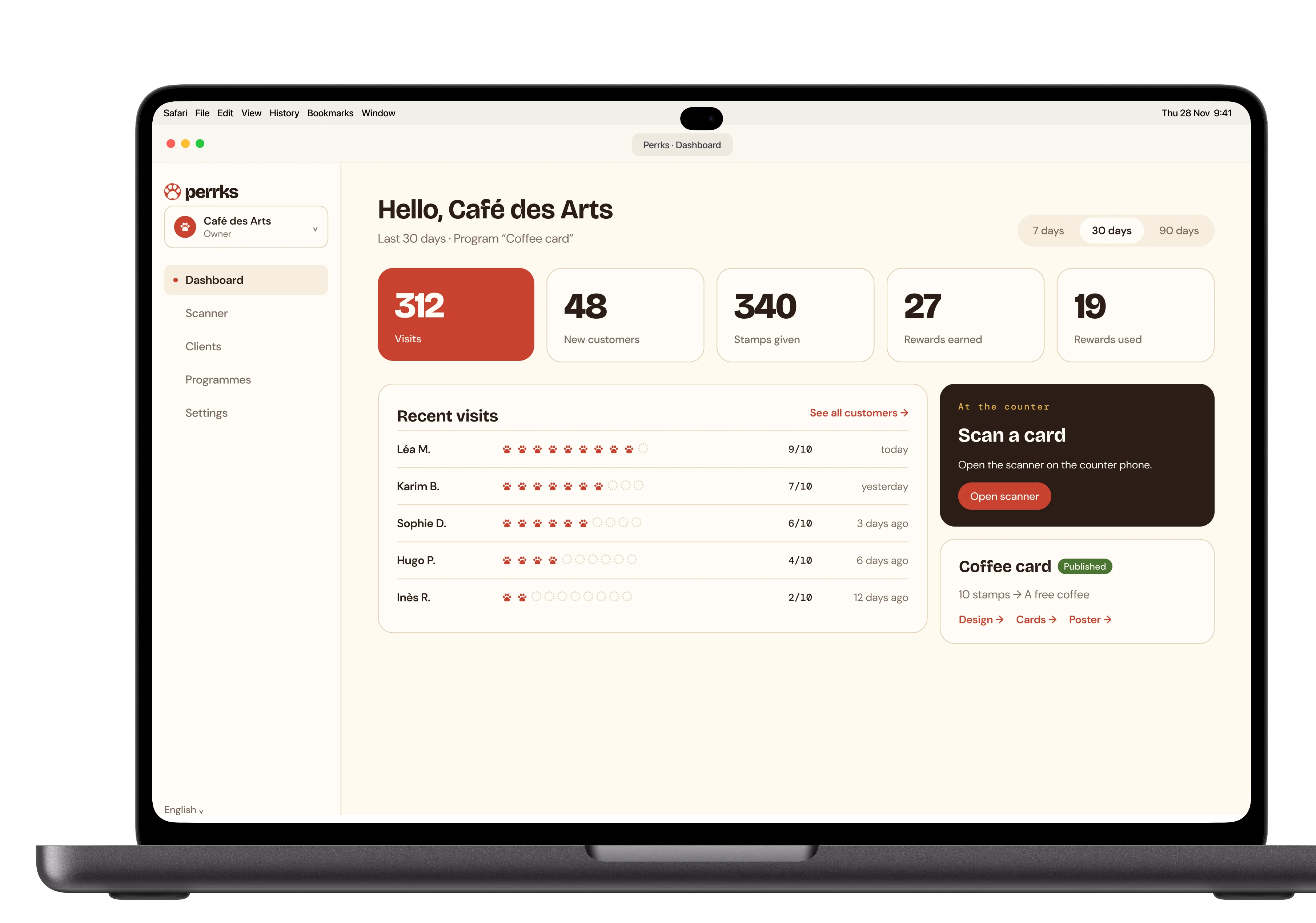
Finally know who comes back.
Your regulars, their last visit and the rewards people actually use, over 7, 30 or 90 days.A paper card told you nothing. Here you see your regulars, their last visit and the rewards people actually use, over 7, 30 or 90 days.
- earned… and actually used
- your regulars, and their last visit
- your staff stamp, without seeing your settings
Why loyalty
Your regulars make your revenue.
A customer who comes back costs you no advertising and no discount. The card gives them a reason to drop by once more, and every extra visit is revenue that was already within reach.
- 5 to 25×
- more expensive to win a new customer than to keep a regular, depending on the sector.
- Harvard Business Review, 2014
- 1 for 10
- One reward every 10 visits: you give away one coffee, you sell ten.

Do the maths
Example: a neighbourhood café. Change the numbers.
If each one comes back once more a month
+ €520 / month
extra revenue, for €38 of rewards given (32 rewards a month).
Indicative estimate based on your numbers. Not a promise.
Pricing
Free during the launch.
Test your card on your iPhone, open it to your customers, without paying anything. The price below will apply after the launch, and we'll tell you before.

Trial
€0no account
See your card for real before you start.
- Your card, in your colors
- Test card on your iPhone (1 device)
- Test stamps and real notifications
Business
Launch: €0€19excl. VAT / month after the launch
Free during the launch. No payment asked today.
- Card open to your customers, QR poster at the counter
- Unlimited customers and stamps
- Scanner for the whole team
- Statistics: visits, rewards, regulars
- Apple Wallet (Google Wallet soon)
Prices exclude VAT. We will email you before payment starts; nothing will be charged without your consent.
Frequently asked questions.

Do my customers need to install an app?
No. They scan the QR code on your poster and the card goes into Apple Wallet on iPhone. On other phones, they keep a web card with their QR code.
What about Android?
Google Wallet is being activated. Until then, your Android customers use the web card: same QR code, same stamp at the counter.
Can my staff stamp cards?
Yes. Invite them with a link: they stamp cards and hand out rewards, without access to your settings or your customers' contact details.
What if we stamp the wrong card?
Undo the stamp within ten minutes. After that, correct the balance with a reason: every correction is recorded, with who made it.
Where is the data stored?
The database is hosted in Paris. Deleting a customer erases their personal data and deactivates their card in one action.
Last step
Try it on your own phone.
Create your card, add it to your phone and stamp it yourself. Perrks is still in development: what you see is exactly what your customers will see.
No app · Apple Wallet · Google Wallet coming soon
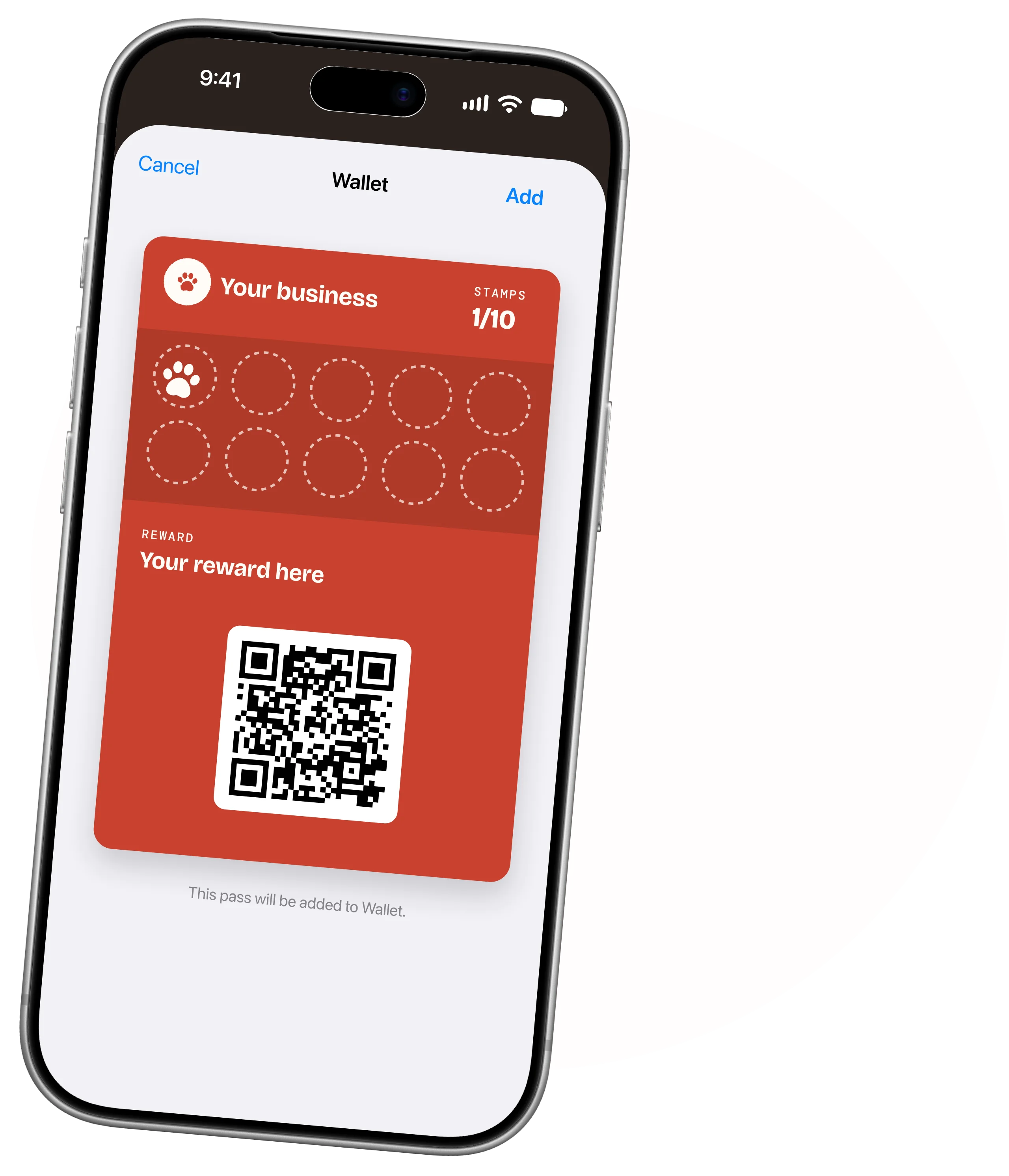


one tap, and it's in your pocket